
A photo looks like just a picture. But behind the pixels, most phones attach a small block of hidden information called metadata — and it can say far more about you than the image itself.
In this guide you'll see exactly what's stored, when it's a real risk, and simple ways to edit or share sensitive images without your information going to a server.
What is EXIF metadata?
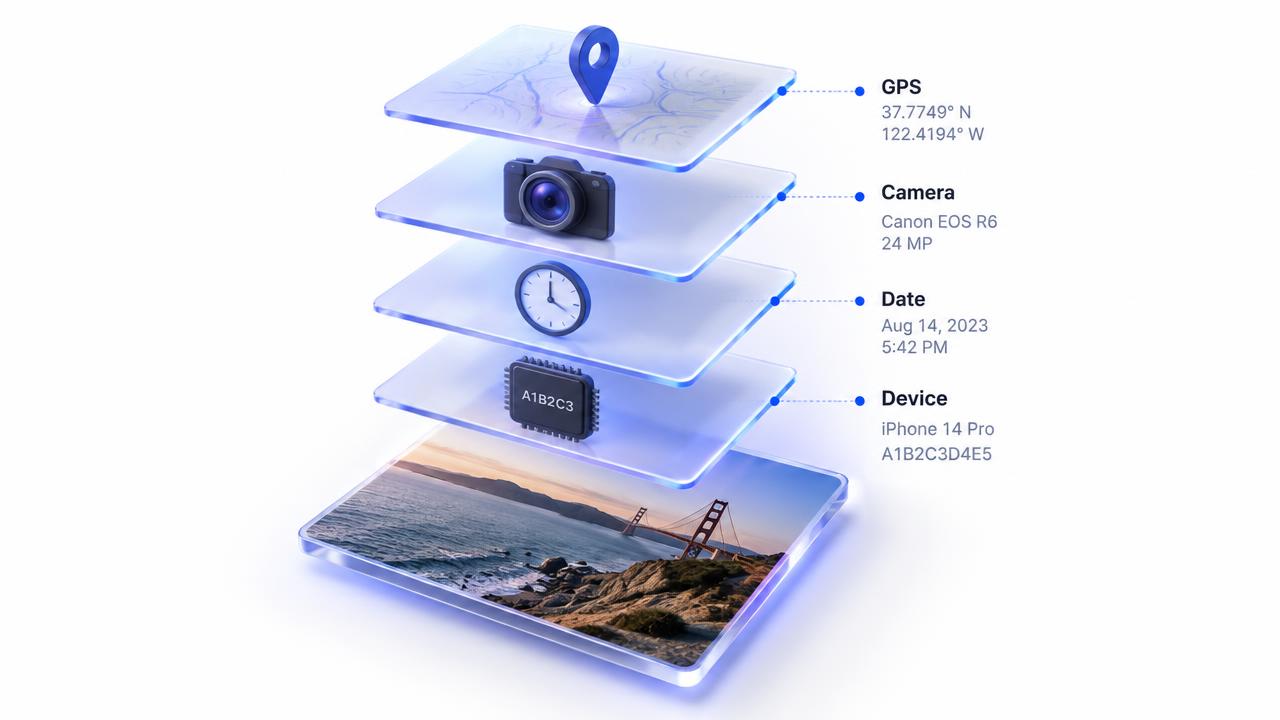
EXIF (Exchangeable Image File Format) is a standard for storing details alongside a photo. Cameras and phones use it to record settings that are genuinely useful for organising your library.
What your photos can reveal
- GPS coordinates — often precise enough to point to a specific house.
- Date and time the photo was taken, down to the second.
- Phone or camera make and model, and sometimes a serial number.
- Camera settings such as lens, exposure and flash.
- Editing software used and sometimes a small preview thumbnail.
When it actually matters
Many big social networks strip location data when you post publicly, but that isn't true everywhere. Photos sent as files by email, attached to marketplace listings, shared in some cloud folders or uploaded to forums can keep their full metadata.
The risk is highest for photos taken at home, pictures of children, items you're selling, and documents like IDs or contracts.
Turn off location for future photos
- iPhone: Settings → Privacy & Security → Location Services → Camera → Never.
- iPhone (per share): tap Options at the top of the share sheet and switch off Location.
- Android: open the Camera app settings and turn off 'Location tags' or 'Save location'.
Strip metadata from photos you already have
When an image is re-drawn and saved by a converter, the new file usually contains only the pixels — not the original EXIF block. Pixnova's tools work this way: converting or compressing a photo in your browser produces a clean copy, and the original never leaves your device.
- Open the Pixnova Image Compressor or Format Converter.
- Drop in the photo you want to share.
- Download the new copy and share that one instead of the original.
Editing sensitive images without uploading them
Most free online editors upload your file to process it. That's fine for a sunset, less fine for a passport scan or medical letter. Browser-based tools do the work on your own device, so you can convert, compress, remove backgrounds or build a PDF without the file being sent anywhere.
A simple way to check any tool: load the page, turn off your Wi-Fi, and try it. If it still works, your file isn't being uploaded.
A quick safe-sharing checklist
- Is the location visible in the picture itself — a street sign, house number or school logo?
- Am I sending the original file, or a clean copy?
- Does the platform I'm using keep or strip metadata?
- For documents, would a PDF be better than loose photos?
The bottom line
Metadata is useful in your own library but can overshare when photos leave it. Switch off camera location if you don't need it, and share clean copies made on your own device.
Ready to try it? Use the free JPG to PNG converter — no signup, no watermark, 100% private. New here? Read about Pixnova, browse the FAQ, or contact Saboor.