'File too large.' It's the most annoying message on the internet — usually right before a deadline. The good news: almost any photo can be shrunk well under common limits without anyone noticing a difference.
Below you'll find the key limits for the places people upload most, plus a simple method to hit them every time.
Why are photos so big?
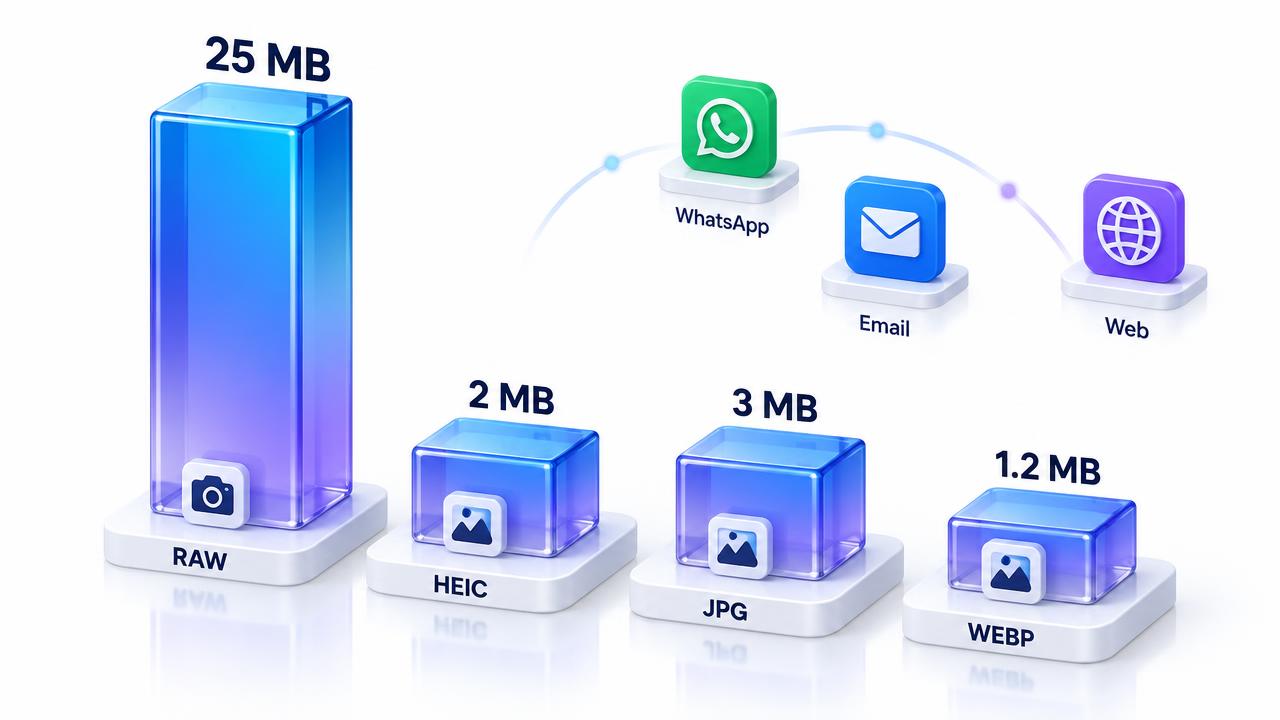
Modern phones capture 12 to 48 megapixels. That's far more detail than any screen, thumbnail or email needs. File size depends on three things: pixel dimensions, format and compression quality. Reduce any of them and the file shrinks.
Common limits to know
Platforms update their rules, so double-check the upload page if a file is rejected.
- YouTube thumbnail: 1280×720 recommended, under 2 MB, JPG/PNG/GIF.
- YouTube channel banner: 2048×1152 recommended, under 6 MB; keep text inside the central safe area (about 1235×338).
- Email attachments: many providers cap the whole message around 20–25 MB.
- WhatsApp: photos are compressed automatically; send as a document to keep full quality.
- Online forms and job portals: often 1–2 MB, sometimes as low as 200 KB.
How to compress a YouTube thumbnail under 2 MB
- Design or export your thumbnail at 1280×720.
- Open the Pixnova Image Compressor and drop it in.
- Start around 80% quality and check the preview for blurry text.
- If it's still over 2 MB, convert to JPG — PNG thumbnails are often much bigger.
- Download and upload to YouTube Studio.
How to compress a YouTube banner
Banners are large, so PNG exports frequently exceed limits. Export at 2048×1152, then save as JPG at 80–85% quality. Large flat colour areas compress very well, so you'll usually land around 300–800 KB with no visible change.
Pick the right format first
Use the free converters like PNG to JPG or JPG to WebP to switch formats in a second.
- Photos → JPG or WebP. Usually the biggest single saving.
- Graphics with text or transparency → PNG, or WebP if supported.
- Multiple pages or scans → combine into one PDF instead of attaching many images.
How much quality can you remove?
For photos viewed on screens, 75–85% quality is usually indistinguishable from the original. Go lower only for tiny previews. Always zoom into faces and text before you send — that's where compression shows first.
Private by design
Pixnova compresses images inside your browser, so thumbnails for unreleased videos, client work or personal photos aren't uploaded anywhere. There's no account, no watermark and no daily limit.
The bottom line
Resize to the size you actually need, choose the right format, then compress to around 80% quality. That simple routine beats almost every 'file too large' error.
Ready to try it? Use the free JPG to PNG converter — no signup, no watermark, 100% private. New here? Read about Pixnova, browse the FAQ, or contact Saboor.